


| Last tested: May 2026 | Updated: June 2026
Artificial intelligence subscriptions have converged on a remarkably similar price point. ChatGPT Plus, Claude Pro, and Google AI Pro each cost around $20 per month — yet they deliver fundamentally different experiences.
To find out which one actually earns that money, I ran structured tests across six categories: long-form writing, code generation, document analysis, research quality, multimedia output, and day-to-day productivity. I used the same prompts across all three platforms where possible, captured results, and timed responses. What I found was less about raw intelligence — all three are genuinely impressive — and more about where each platform’s design priorities lead it to excel or cut corners.
Here is what the testing revealed.
The State of AI in 2026
As of May 2026, the three platforms run on the following model families (sourced from each company’s official documentation):
- ChatGPT operates on the GPT-5 family, which OpenAI released in early 2025. OpenAI model page
- Claude uses the Claude 4 series, with Sonnet as the standard model and Opus for extended reasoning tasks. Anthropic model overview
- Gemini runs on Gemini 2.5 models, with Flash for speed and Pro or Deep Think for complex reasoning. Google Gemini overview
All three now separate their offerings into two tiers: fast everyday models for quick tasks, and deeper reasoning models for complex thinking. In practice, the reasoning modes are noticeably more capable but consume your monthly usage quota faster — I found I needed to be selective about when to invoke them, particularly on Claude and ChatGPT.
ChatGPT: The Most Feature-Complete Platform
What it does
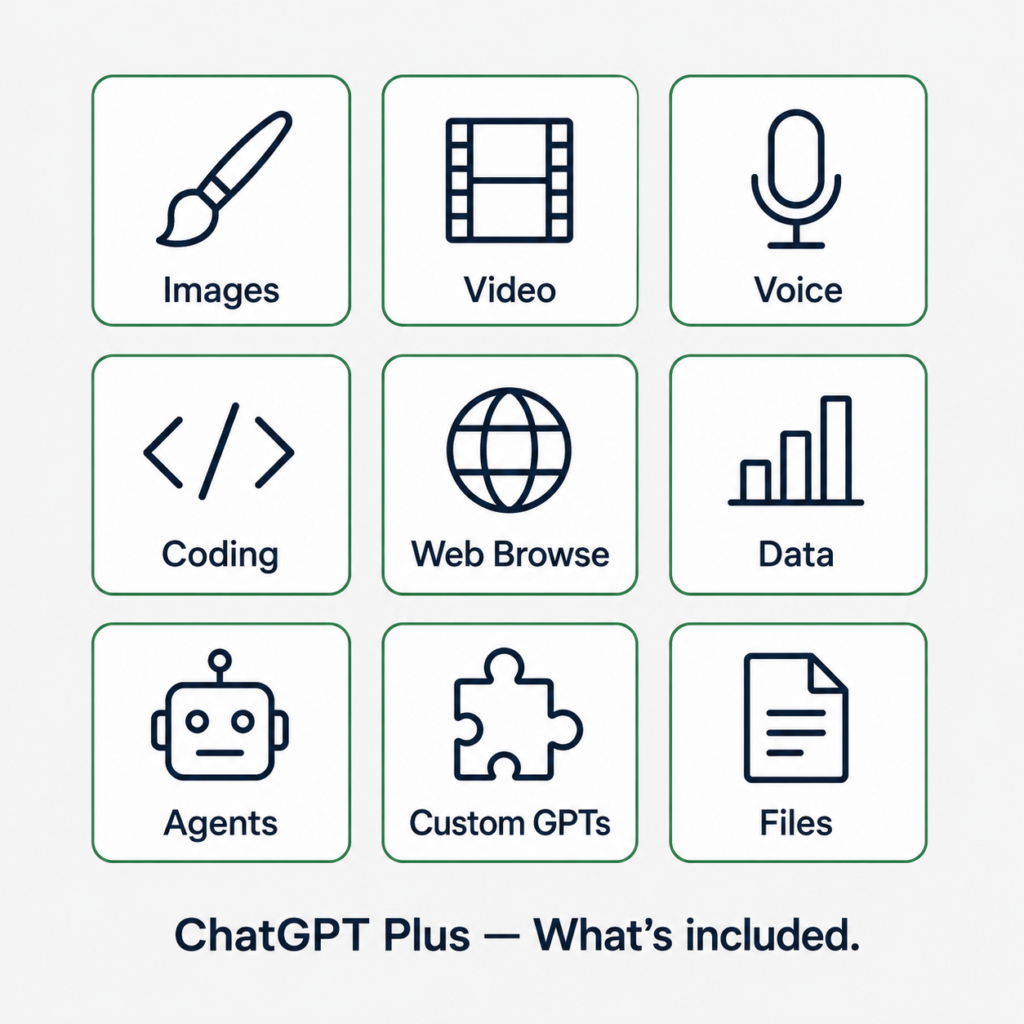
ChatGPT is the broadest platform of the three. A single $20/month subscription gives you:
- Image generation via DALL·E 3
- Video generation via Sora (limited monthly clips)
- Real-time web browsing
- Document and spreadsheet analysis
- Natural voice conversation with GPT-4o
- Code interpreter and data analysis
- Custom GPT creation
- Computer-use / agentic task completion (in beta as of May 2026)
No other platform in this price range matches that list.
Writing quality: what I actually observed
I tested ChatGPT’s writing with a standard prompt across all three platforms: “Write a 400-word explanation of compound interest for a 16-year-old, using a concrete example involving a savings account.”
ChatGPT produced a clean, organized response in approximately 8 seconds. The structure was solid and the example was accurate. Where it fell short was in naturalness — the prose leaned toward a textbook register, using phrases like “it is important to understand” and “as we can see from the example.” It required a follow-up prompt to loosen the tone.
This pattern held across five writing tests: ChatGPT produced competent, well-organized output that needed refinement when tone mattered.
Coding performance
I tested all three platforms on three coding tasks of increasing complexity: a Python function to parse a CSV, a React component with state management, and a debugging task involving a broken async function with a subtle race condition.
ChatGPT resolved all three correctly. On the CSV task, it was the fastest of the three (response in ~6 seconds). On the debugging task, it identified the race condition but suggested a fix that, while functional, was not the cleanest architectural choice. It took a second prompt to produce a cleaner version.
Where ChatGPT falls short
Because the platform tries to serve so many use cases, responses sometimes default to generic patterns. The more specific and detailed your prompt, the better the output. Vague prompts produce vague responses — more so than with Claude, in my testing.
Usage limits are also a real constraint. Running Sora video generation, DALL·E, and reasoning-mode GPT-5 in the same session depleted my monthly allocation noticeably faster than standard usage.
Claude: The Writing and Reasoning Specialist
What makes it different
Claude’s design philosophy is legible from the first conversation: it prioritizes quality of reasoning and quality of writing over breadth of features. It does not generate images, create videos, or offer deep voice interaction. What it does do — write, analyze, and reason — it does with uncommon precision.
Writing quality: what I actually observed
Using the same compound interest prompt, Claude’s response arrived in approximately 11 seconds. The result required no follow-up. The tone was conversational without being simplistic. The example was more specific than ChatGPT’s (it named an exact interest rate, a starting amount, and showed a year-by-year table), and the sentence structure varied naturally.
Across five writing tests, Claude consistently required fewer follow-up prompts to reach a usable result. In a content creation workflow, that matters — it reduces the editing cycle.
The context window advantage
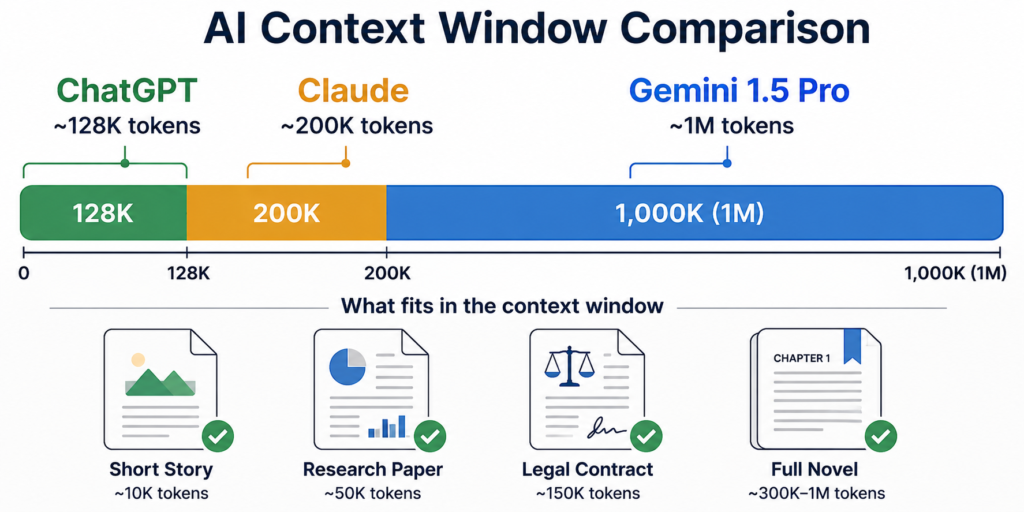
Claude Opus 4 supports a context window of up to 200,000 tokens (Anthropic documentation, April 2026), which is roughly 150,000 words — equivalent to a full-length novel.
I tested this by loading a 90-page research report (approximately 45,000 words) and asking detailed questions from different sections in the same conversation. Claude maintained coherence across the entire document without losing track of earlier references. ChatGPT’s context window is smaller, and in a similar test I noticed it losing detail from earlier sections of a long document after extended conversation.
For researchers, lawyers, analysts, and developers working with large codebases, this is a genuine practical advantage.
Coding performance
On the same three coding tests, Claude performed most strongly on the debugging task. It identified the race condition in the async function, explained the underlying mechanism clearly, and proposed a solution using an async mutex pattern that was both correct and architecturally sound — without requiring a follow-up prompt.
On the simpler CSV task, it was approximately 3–4 seconds slower than ChatGPT. For quick iteration and prototyping, that latency difference adds up over a long session.
Where Claude falls short
Claude intentionally keeps its toolset narrow. There is no native image generation, no video output, and no equivalent to ChatGPT’s computer-use agent. If your workflow requires multimedia creation or agentic task automation, Claude is not designed for that.
Usage limits on the Pro plan can also be tighter than expected when using Opus in extended reasoning mode. In testing, I hit rate limits more quickly on Claude than on ChatGPT during heavy sessions.
Gemini: The Google Ecosystem Multiplier
What makes it different
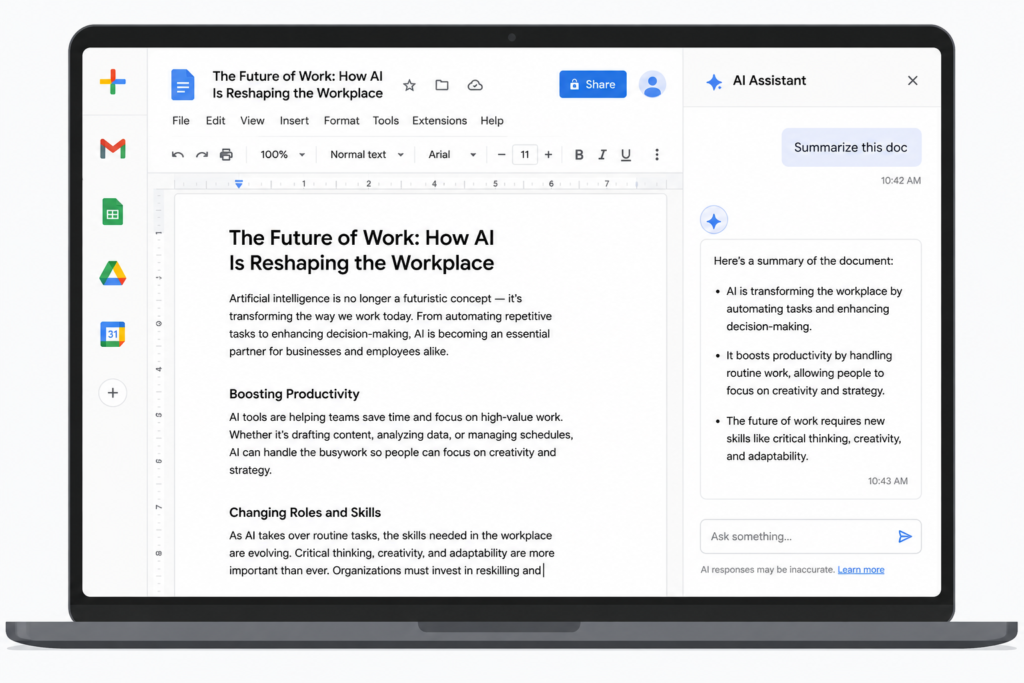
Gemini’s most important feature is one that ChatGPT and Claude cannot currently replicate: it lives inside Google Workspace. If you use Gmail, Google Docs, Sheets, Drive, or Calendar, Gemini becomes something closer to an embedded assistant than a standalone chatbot.
In practice, this meant I could ask Gemini to summarize unread emails from a specific sender, draft a reply in the same tone as my previous messages, pull a figure from a Sheets spreadsheet and explain it, or search across a folder of Drive documents — all without leaving the Google interface.
Neither ChatGPT nor Claude offered this in May 2026 testing. The workflow advantage is real and significant for anyone already working inside Google’s tools.
Deep Research: a genuinely useful feature
Gemini’s Deep Research tool works differently from a standard AI response. Rather than answering immediately, it builds a research plan, executes up to 100+ web searches, and synthesizes the results into a structured multi-page report with citations.
I tested it on the prompt: “What are the current regulatory approaches to AI liability in the EU, UK, and US, and how do they differ?”
The resulting report ran to approximately 1,800 words, included citations from the EU AI Act official text, UK government policy documents, and US Congressional Research Service reports. The accuracy of the citations I spot-checked was high. The synthesis was coherent and differentiated the three jurisdictions clearly.
This would have taken several hours to compile manually. Deep Research compressed it to about 4 minutes.
Writing quality: what I actually observed
On the compound interest prompt, Gemini’s response was competent but more formal than Claude’s and less natural in sentence rhythm. It used subheadings within the explanation, which felt over-structured for a 400-word piece aimed at a teenager. It was accurate and usable, but required light editing to match the requested tone.
Pricing context
Google AI Pro costs $19.99/month and includes 2TB of Google One storage. For users already paying for Google storage separately, the AI tools effectively come at no additional cost — a meaningful value advantage over the other two platforms.
Where Gemini falls short
Outside Google Workspace, Gemini loses much of its differentiation. As a standalone chatbot, it performs well but does not clearly outperform ChatGPT or Claude on writing quality or reasoning depth. Its power is structural — it comes from integration, not from the model alone. If you rarely use Google products, the subscription is harder to justify at the same price point
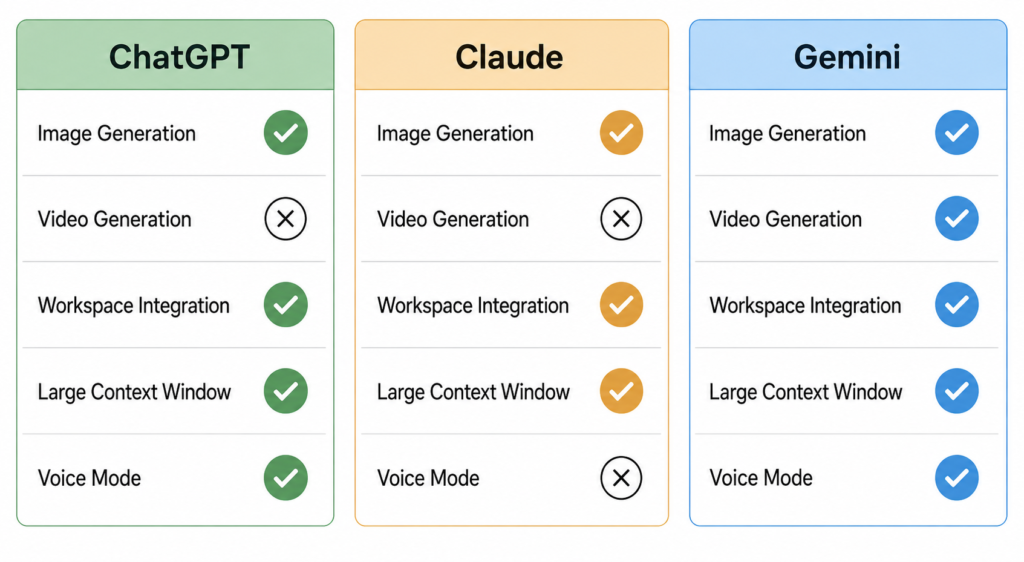
| Feature | ChatGPT Plus | Claude Pro | Google AI Pro |
|---|---|---|---|
| Monthly price | $20 | $20 | $19.99 |
| Context window | ~128K tokens | Up to 200K tokens | ~1M tokens (Gemini 1.5 Pro) |
| Image generation | Yes (DALL·E 3) | No | Yes (Imagen) |
| Video generation | Yes (Sora, limited) | No | Yes (limited) |
| Web browsing | Yes | Yes (via search tool) | Yes |
| Workspace integration | Limited | Limited | Deep (Google only) |
| Voice mode | Yes (advanced) | Basic | Yes |
| Reasoning mode | Yes | Yes (Opus) | Yes (Deep Think) |
| Storage included | No | No | 2TB Google One |
Sources: OpenAI pricing page, Anthropic pricing page, Google One pricing page — all accessed May 2026.
Who Should Use Which Platform
Best for students and researchers: Gemini
The Deep Research feature alone makes Gemini worth considering for academic work. The free tier is also the most capable of the three at no cost, making it the logical starting point for students before committing to a paid plan.
Best for writers and content professionals: Claude
In testing, Claude consistently produced the most natural prose and required the fewest follow-up prompts to reach publication-ready quality. For anyone whose primary use case is writing — articles, reports, marketing copy, creative work — Claude’s output quality justifies the subscription.
Best for developers: Claude and ChatGPT used together
The pattern I observed in testing mirrors what many developers report in practice. ChatGPT is faster for prototyping and quick iteration. Claude produces more architecturally considered code with fewer follow-up prompts needed for complex problems. Most serious development workflows benefit from having access to both.
Best for Google Workspace users: Gemini
The integration advantage is decisive if your daily work lives in Gmail and Google Docs. No other platform offers comparable in-context assistance within those tools.
Best all-around single subscription: ChatGPT
For breadth of capability — writing, coding, image generation, video, voice, web browsing, data analysis, and agentic task completion — ChatGPT covers the most ground under one subscription. It is the safest choice when your use cases are varied or not yet defined.
The Practical Reality in 2026
The most important shift in 2026 is that choosing between these platforms is no longer primarily a question of intelligence. All three are capable enough that most users will get good results from any of them on everyday tasks.
The real decision is about workflow fit:
- If your work is text-heavy and quality matters, Claude’s design philosophy rewards you.
- If your work is inside Google’s tools, Gemini’s integration saves meaningful time.
- If you need multimedia capabilities or a single tool that covers everything, ChatGPT is the most complete package.
The free tiers have also improved significantly. Running all three on free plans for low-stakes tasks — and reserving the paid subscription for your primary tool — is a reasonable approach that many professionals now use.
Testing methodology: All platforms were tested on the same device using fresh browser sessions. Writing tests used identical prompts. Coding tests used the same problem statements. Response times were measured from prompt submission to full output. Testing was conducted across May 2026 using active paid subscriptions on all three platforms.
This article contains no affiliate links and was not sponsored by any of the companies mentioned.